The Power of Your Voice
You speak around sixteen thousand words a day. What those words could tell you about how you speak and write, if only you kept them.
By Nelson, maker of Aurator
Every single day, you speak around sixteen thousand words.
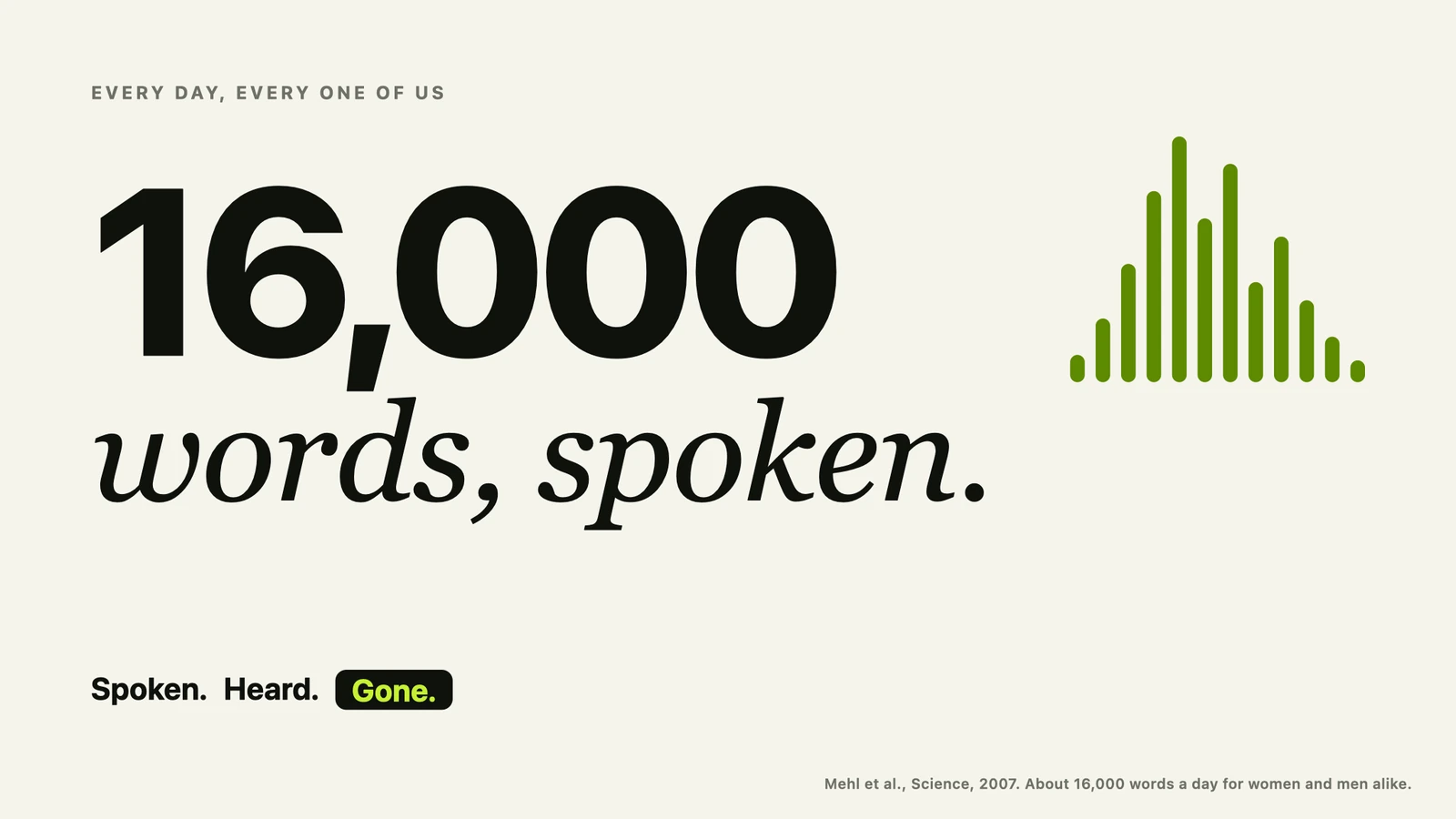
I did not make that number up. In 2007, a team of researchers at the University of Arizona gave 396 people a small recorder that sampled sound through their day, and then they counted every word. Women spoke about 16,200 words a day. Men spoke about 15,700. Almost the same. Sixteen thousand words, every day, every one of us.
So I want you to think about what is in those words.
The questions you ask at breakfast. The way you explain a problem to someone at work. The plans you talk through in the car. The worries you only say out loud to the people you trust. The things you keep coming back to, again and again, without even noticing.
And now I want you to think about where those words go. They go nowhere. You say them, someone hears them, and they are gone.
Your words say more than you think
Most of the time we pay attention to what we say. But the way we say it tells a story too.
Psychologists have studied this for many years. James Pennebaker and his colleagues at the University of Texas showed that the small words we use, the pronouns, the articles, the little words that connect our sentences, stay very stable for each person. And they reflect our personality and the way we think.
Our words can also show how we are doing inside. In 2018, researchers at the University of Reading studied the writing of more than six thousand people in online forums. In the forums about anxiety and depression, people used absolutist words, words like always, never, nothing and completely, about fifty percent more often than in other forums.
Now, I want to be careful here. A word count is not a diagnosis, and no app should pretend to be your doctor. But it shows us something simple and true. Our language reflects our inner life.
And it is not only our mood. What we talk about shows our priorities. The topics we return to again and again show what we care about, what we are working toward, and what is weighing on us. The way we speak shows our personality. Do we lead with the point, or do we circle around it? Do we soften everything, or do we say it straight?
So here is the problem. All of this is in our speech, every single day, and almost none of it is kept. We keep our emails. We keep our photos. We even keep our step counts. But the words we actually say, the fullest record we have of who we are, are lost in the air.
Why I built Aurator
Let me share a little of my own story with you.
English is my second language. Spanish is my first. I talk much faster than I type, and I think better when I think out loud. So I wanted a simple tool on my Mac. Hold a key, talk, let go, and clean text lands wherever I am writing.
So I built it for myself first. I used it every day, for my emails, for my messages, for the prompts I give my coding tools. And every time something bothered me, I fixed it, one small thing at a time.
And as I kept using it, I noticed something. Every dictation was also a record of how I speak. My pace. The filler words I lean on. The way I start my sentences. The topics that fill my day. It was the very thing I had been losing all along.
So I kept building, and I shaped the rest of Aurator around that idea. Only when it was good enough for my own work did I share it with others. And that is still how I decide what to build next.
How Aurator keeps your voice
Aurator is a Mac app built around three simple words. Capture. Understand. Improve.
First, it captures what you say, in any app. You hold a key, you talk, and you let go. A moment later, clean text is at your cursor, with the filler words gone and the punctuation in. And every dictation is kept, with its recording, in a history on your Mac. So your words are no longer lost in the air.
Then it helps you understand them, and then it helps you improve. That happens in three places.
1. The Dashboard, a picture of how you speak
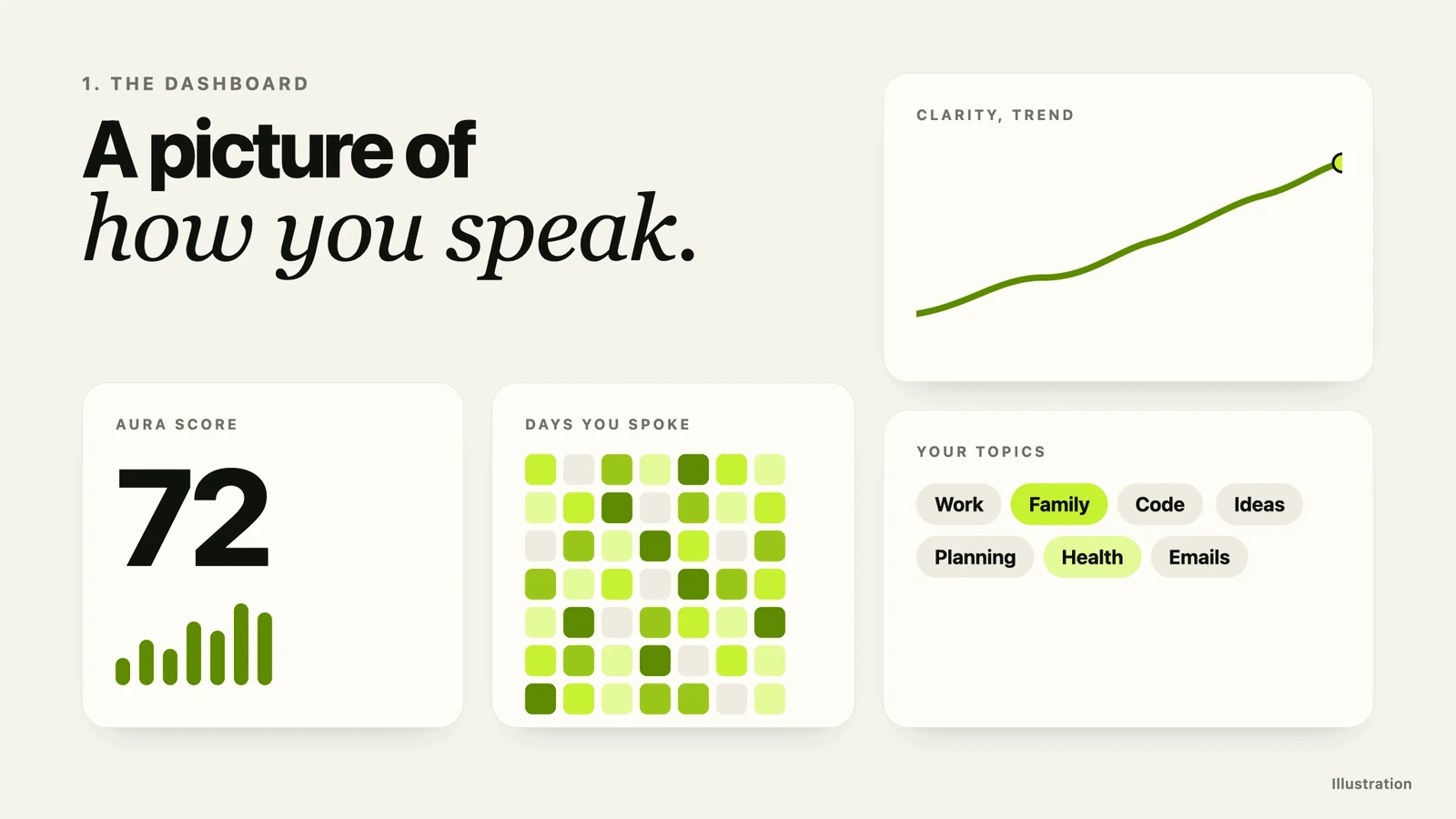
The Dashboard brings all your dictations together in one view. One Aura Score for how you communicate. A heat map of the days you speak. A trend line for each skill, so you can see whether you are really getting clearer over time.
Aurator also labels each dictation with a topic, quietly, in the background, on your Mac. After a while you can see what you really spend your words on. And it is often not what you would guess.
2. The Coach, built from your own words
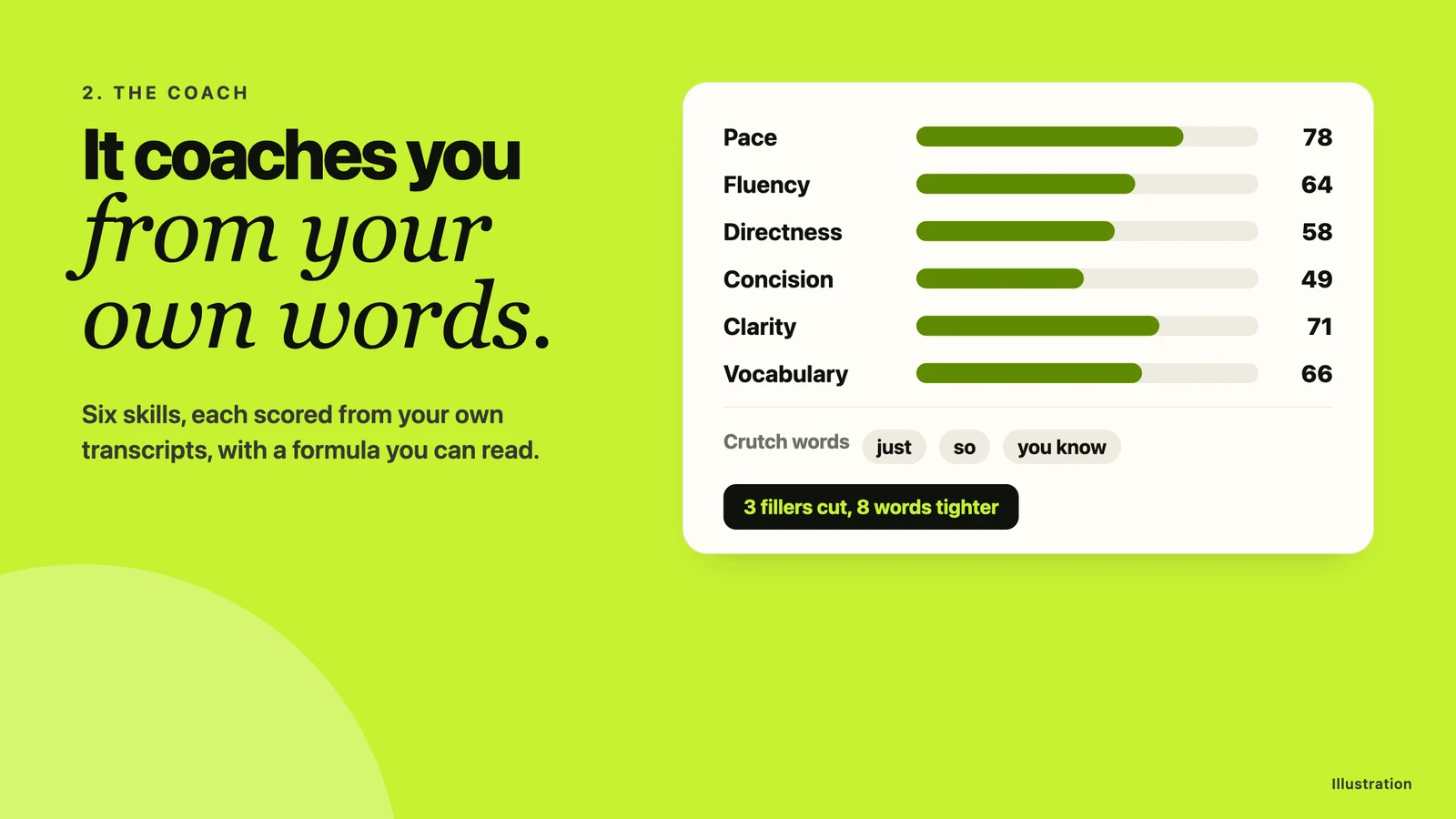
The Coach reads your real dictations and scores six things. Pace, fluency, directness, concision, clarity and vocabulary. Each score comes from your own transcripts, with a formula you can read. It shows you your crutch words with the real counts, and the way you tend to open your sentences. The levels are strict, and they only move when your own dictation gives the evidence.
Then it helps you practise. You pick one of 18 short lessons, the Coach teaches one technique and asks a question, and you answer out loud. If your answer misses the goal, like saying it in fewer words, Aurator shows you what happened and a better version of what you said, then asks a new question.
And even in normal use, a small line after each dictation tells you what changed, something like "3 fillers cut, 8 words tighter." So you learn while you work.
3. Styles and My Voice, so it writes like you
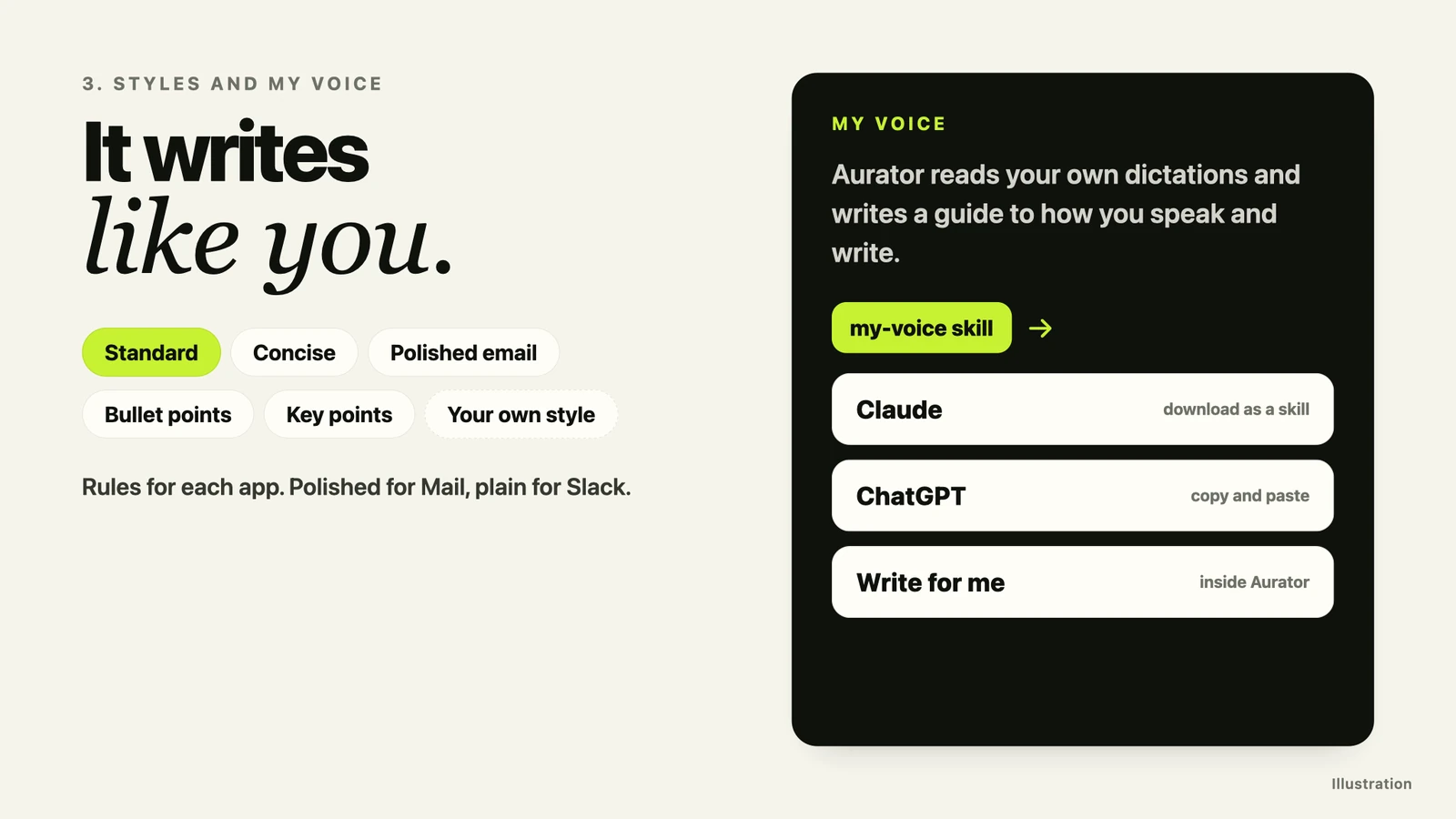
Aurator shapes your words for where they are going. Standard keeps your words. Concise trims them. Polished email makes them ready to send. Bullet points turns a long thought into a short list. You can write a style of your own, and you can set rules for each app, a polished style for Mail and a plain one for Slack.
And this is the part I am really, really excited about. My Voice.
Aurator reads your own dictations and writes a guide to how you speak and write. Your words, your rhythm, your habits. You can download that guide as a skill for Claude, or copy it into ChatGPT and other AI tools, so they write like you and not like a machine.
And Aurator uses it too. With Write for me, you hold the edit key and say what you want written, for example an email with the points you want to cover, and Aurator writes the whole piece in your voice, right at your cursor.
My Voice needs about thirty longer dictations to begin, and you can update it anytime.
Your words stay yours
When a tool listens to everything you say, where those words go really matters.
So Aurator is private by default. Speech to text, cleanup and coaching all run on your Mac, and it only goes online to check for an update, and about once a day to check your licence. There is no account to create. And if one day you want the cloud, you can choose it, with your own keys. It stays off until you do.
How it compares
There are good dictation tools out there. Wispr Flow and Superwhisper are both good apps, and I am glad people have choices. So let me show you honestly where Aurator sits.
| Wispr Flow | Superwhisper | Aurator | |
|---|---|---|---|
| Clean text in any app | Yes | Yes | Yes |
| Styles for different apps | Yes, by type of app | Yes, custom modes | Yes, plus styles you write yourself |
| Where your voice goes | Their cloud, always | Your Mac or the cloud, your choice | Your Mac, by default |
| Works offline | No | Yes, with local models | Yes |
| Price | Free tier, Pro US$15 a month | Free tier, Pro US$8.49 a month or US$249.99 lifetime | US$29 once |
| Coaches you from your own words | No | No | Yes |
| Your voice as a skill for Claude and ChatGPT | No | No | Yes, My Voice |
And where they are ahead. Both run on Windows, iPhone and Android, both understand more than 100 languages, and Superwhisper's free plan gives you unlimited dictation with local models. I compared them in full in Aurator and Wispr Flow and Aurator and Superwhisper.
Prices and features from each company's own pages, checked on 7 October 2026, linked below.
Ready when you are
Your voice is already doing the work. Sixteen thousand words a day, telling the story of who you are, what you care about, and where you are going. Aurator simply helps you keep them, understand them, and use them well.
So if you write a lot on your Mac, I would be really grateful if you gave it a try. Seven days free, then US$29 once. Updates are included, and if it is not for you, you get a full refund within 30 days.
And if you do try it, please let me know what you think. I would love to hear from you.
Sources, all checked on 7 October 2026
- Mehl, Vazire, Ramírez-Esparza, Slatcher and Pennebaker, "Are Women Really More Talkative Than Men?", Science, 2007. www.science.org/doi/10.1126/science.1139940
- Pennebaker and King, "Linguistic Styles, Language Use as an Individual Difference", Journal of Personality and Social Psychology, 1999.
- Al-Mosaiwi and Johnstone, "In an Absolute State", Clinical Psychological Science, 2018. journals.sagepub.com/doi/full/10.1177/2167702617747074
- Wispr Flow, pricing, data controls and styles. wisprflow.ai/pricing, wisprflow.ai/data-controls, docs.wisprflow.ai/articles/2368263928-how-to-setup-flow-styles
- Superwhisper, plans, getting started and voice models. superwhisper.com/docs/billing/plans, superwhisper.com/docs/get-started/introduction, superwhisper.com/docs/models/voice