What Actually Matters When You Choose a Dictation App
Weeks of reading pricing pages, privacy policies and documentation, down to five real questions.
By Nelson, maker of Aurator
Over the past few weeks I read pricing pages, privacy policies and documentation for the dictation apps people actually use, properly, past the first line each time. I wrote up what I found as I went, one article at a time. This is the short version, five questions, each one backed by something I actually checked, not a feeling.
What does it actually cost, three years in
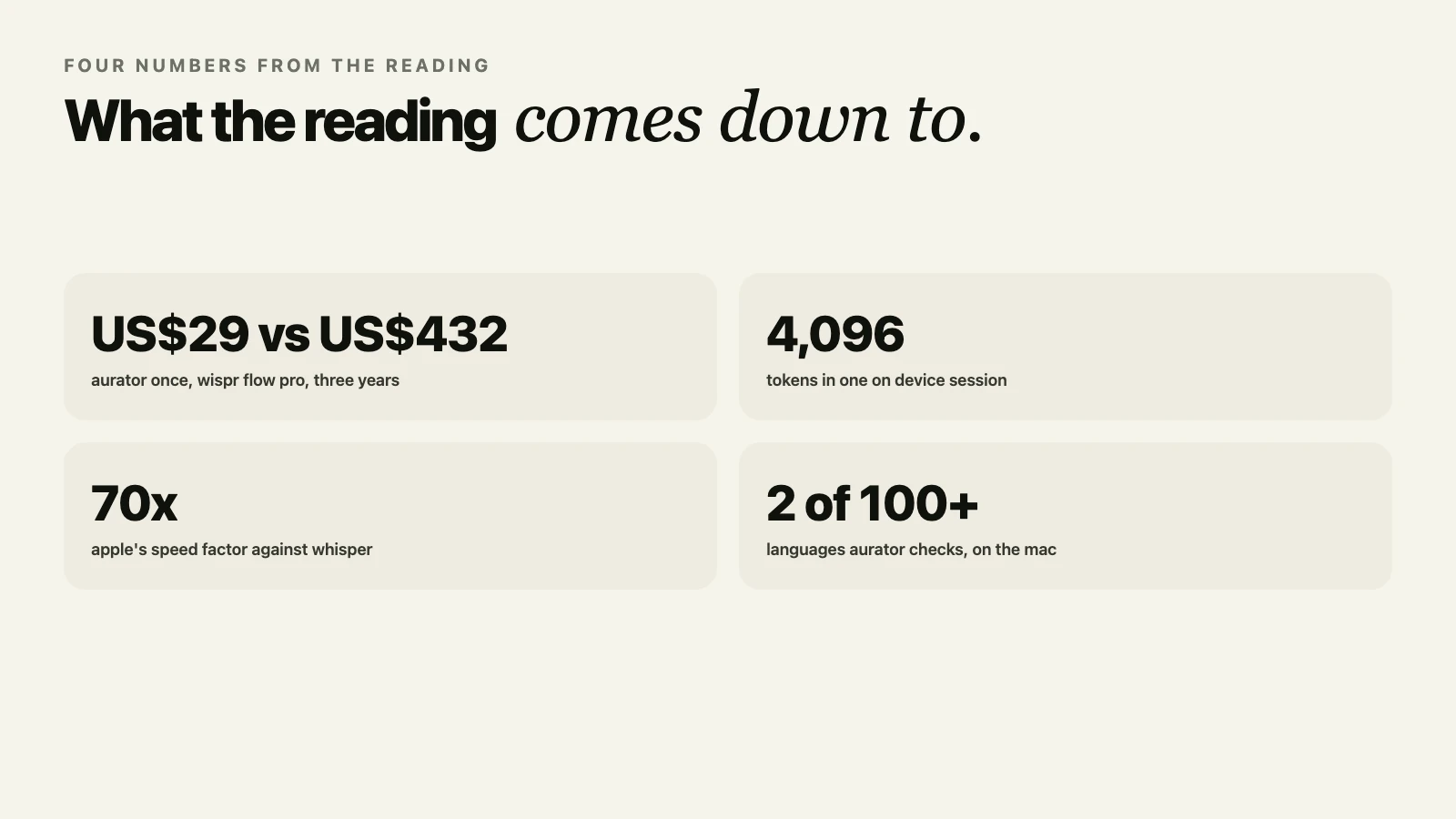
Not the headline number. Wispr Flow's Pro plan runs US$144 to US$180 a year, every year. Superwhisper's Pro plan is US$84.99 to US$101.88 a year, or US$249.99 once for a lifetime licence, a price that lands almost exactly on three years of their own subscription. Aurator is US$29 once, for one Mac. Multiply any monthly price by thirty six before you decide which one is actually expensive. The full math is in What a Voice App Actually Costs You, Three Years In.
Where does your audio actually go, and whose account holds it
Wispr Flow's own policy states plainly that transcription always happens in the cloud. Superwhisper's own policy states just as plainly that it does not collect any audio, transcripts or personal data, a genuinely strong claim I will keep giving them credit for. Aurator's speech to text and cleanup run on your Mac by default, and when you do turn on Cloud, your audio goes to your own Deepgram account and your text to your own Anthropic account, never Aurator's, in Aurator's own words, none of it is ever sent to us. The full story is in What a Privacy Policy Actually Promises About Your Voice.
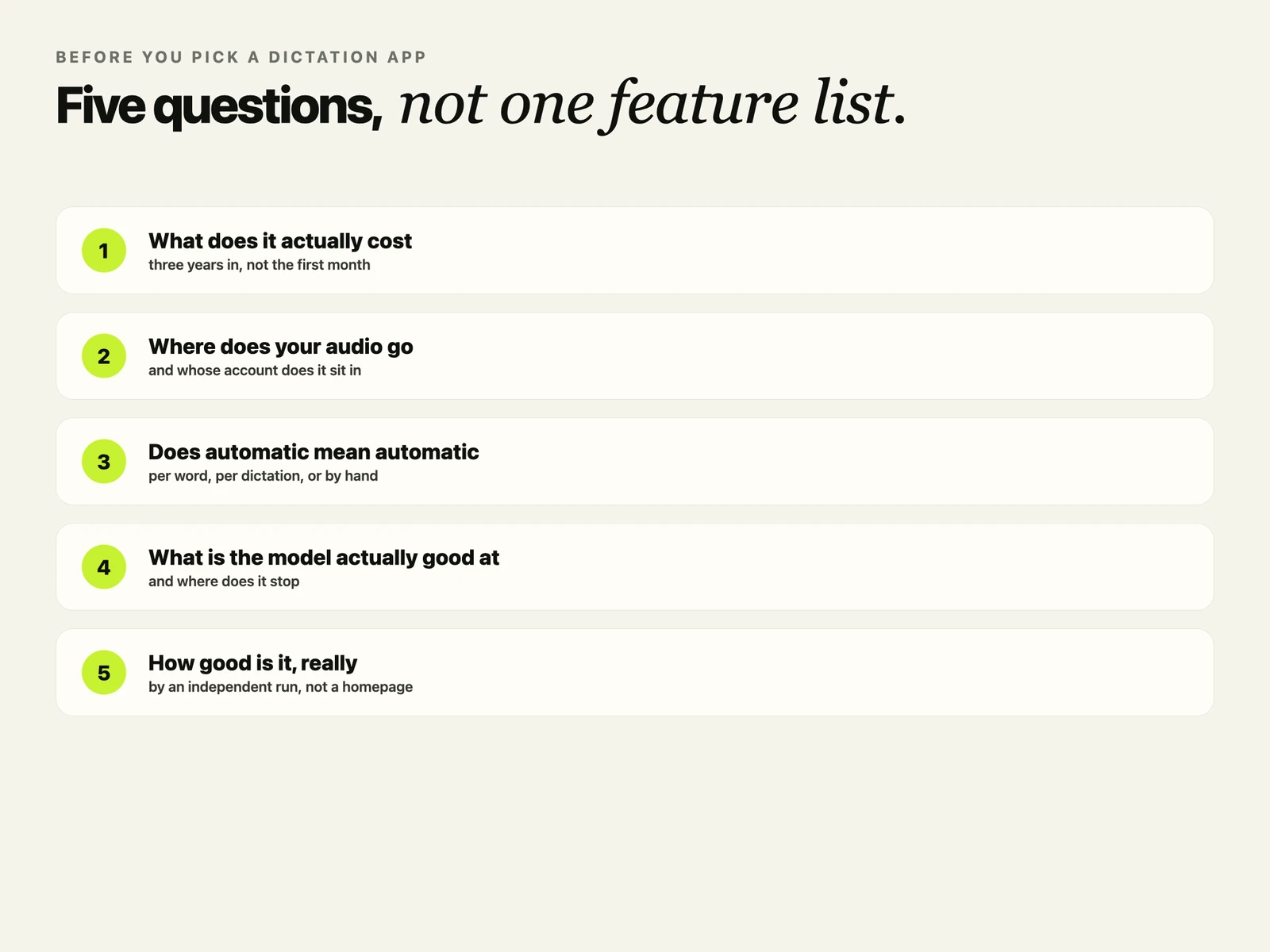
Does "automatic" mean per word, per dictation, or a setting you change by hand
Wispr Flow's help center says it exactly, Flow detects one language per dictation, not per word, across 100 or more languages, in the cloud. Superwhisper has an Automatic option in its language settings, and its own users have an open public request asking for better detection, so I will not claim more than that. Aurator checks only your own two most used languages, but does it by running the same recording through both, entirely on the Mac, so the guess itself never leaves the device either. The full story is in What "Automatic Language" Actually Means in a Dictation App.
What can the on-device model actually do, and where does it stop
Apple's own documentation is specific about this, and I went through it line by line in an earlier article. The model is good at short rewrites, tagging and extraction, not at facts, maths or code. One session holds 4,096 tokens total, instructions and answer together. It runs on ten languages, about thirty regional versions. Private Cloud Compute, Apple's own cloud option for the same framework, ships with a published daily limit per user, because a cloud call costs someone money every single time.
How good is the transcription, by an independent run, not a marketing line
Argmax benchmarked Apple's on-device model against Whisper on a real conversational dataset. Apple's model scored 14.0 error rate at 70 times real time speed. Whisper's small model scored a slightly better 12.8, at half the speed. Run Whisper yourself through MLX on a Mac and it hits about 38 times real time, an hour of audio in under two minutes, entirely on the machine in front of you. The full story is in What Actually Works in On-Device Speech Recognition.
What I would actually tell you
Read past the first line on every one of these, mine included. Ask what something costs three years out, not this month. Ask whose account your audio sits in, not just whether it is encrypted. Ask if automatic really means automatic, or means a setting you will end up touching by hand. Ask what a model is actually good at before you ask what it cannot do. And ask for the independent number, not the one the company picked for its own homepage.
Aurator's answers to all five are the same answer, really. Run it on the Mac you already own, charge once for the chip that is already paid for, and say plainly what it does and does not do. Seven days free, every feature included, at tryaurator.app.
And if you found a cleaner answer to any of these five questions than the ones I found, in any app, I would really like to hear it.
Sources, checked across this run of articles, final check 3 October 2026
- Wispr Flow, pricing page and privacy policy. wisprflow.ai/pricing, wisprflow.ai/privacy
- Superwhisper, pricing section and privacy policy. superwhisper.com, superwhisper.com/privacy
- Aurator, pricing, privacy and features pages. tryaurator.app
- Apple, Foundation Models documentation and Private Cloud Compute. developer.apple.com/documentation/foundationmodels, developer.apple.com/private-cloud-compute
- Argmax, "Apple and Argmax", WhisperKit vs SpeechAnalyzer benchmark. www.argmaxinc.com/blog/apple-and-argmax
- MLX Whisper, ml-explore. github.com/ml-explore/mlx-examples/blob/main/whisper/README.md